
1. Introduction
TTSMaker’s Voice Dialogue Generator lets you turn plain text into a natural, multi-speaker conversation. You can set different voices, languages, and speaking styles for each person in the dialogue, and TTSMaker will combine everything into one clean audio file (MP3 or WAV).
This tool is perfect for:
stories, language-learning content, customer-service simulations, role-play videos, podcasts, game dialogue, and more.
2. Prepare Your Text & Build the Dialogue
Before you begin, simply prepare the lines of text you want each character to say.
Then follow the steps below to turn your text into a full dialogue.
Step 1: Create an AI voice dialogue project
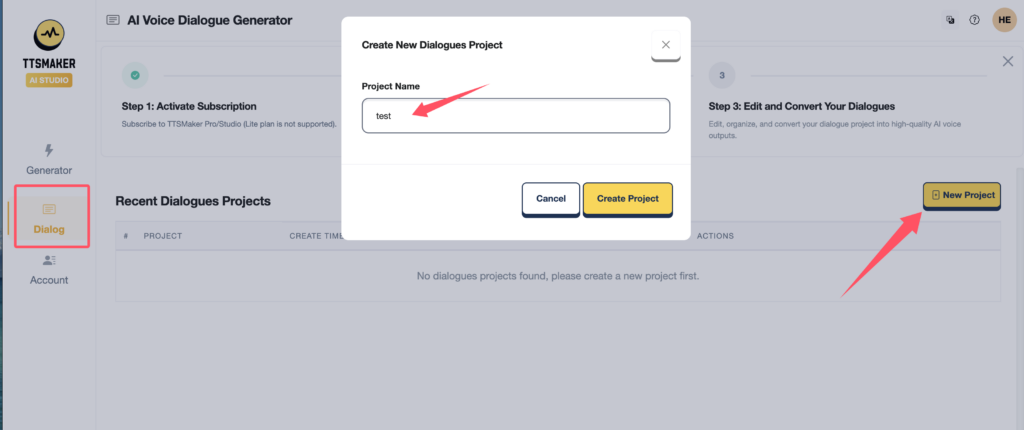
Step 2: Add a Text Block
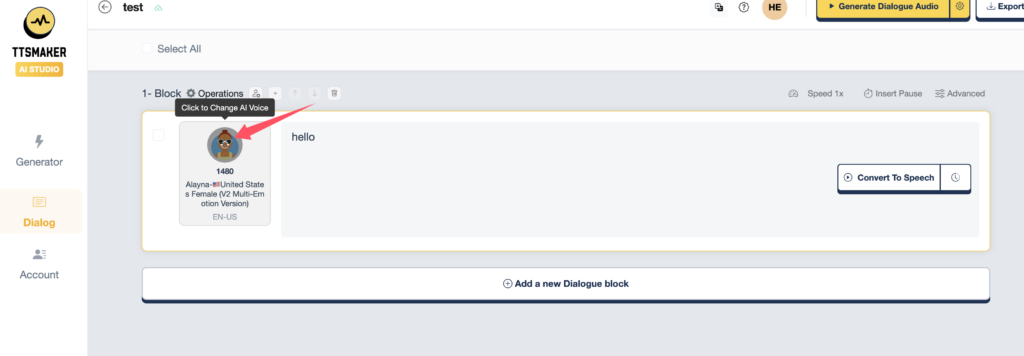
Click "Add a new Dialogue block", then paste or type a single line or short paragraph spoken by one character, and click on the profile picture to switch voice.
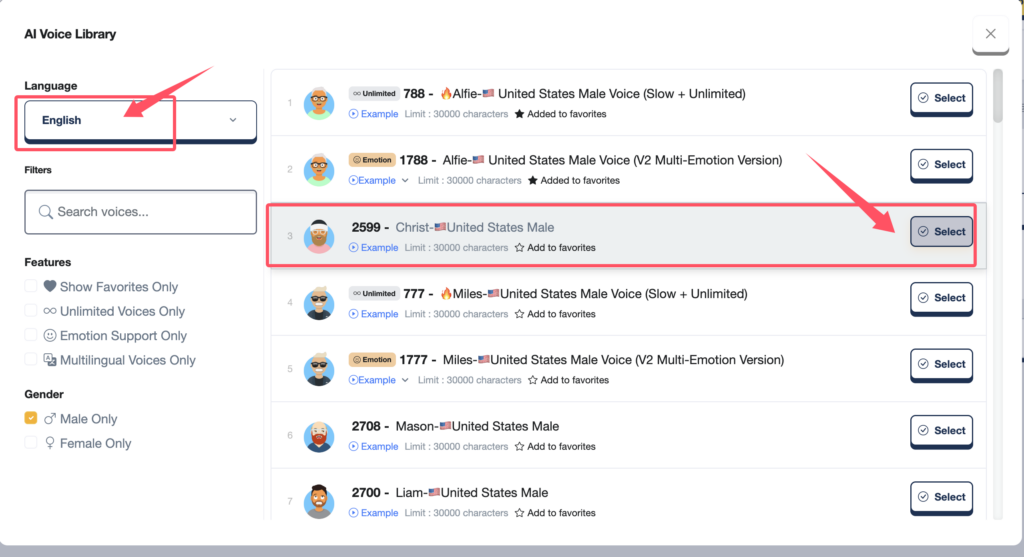
Step 3: Choose a Voice and Language
Inside each block, select:
- Language (100+ supported)
- Voice (over 600 AI voices)
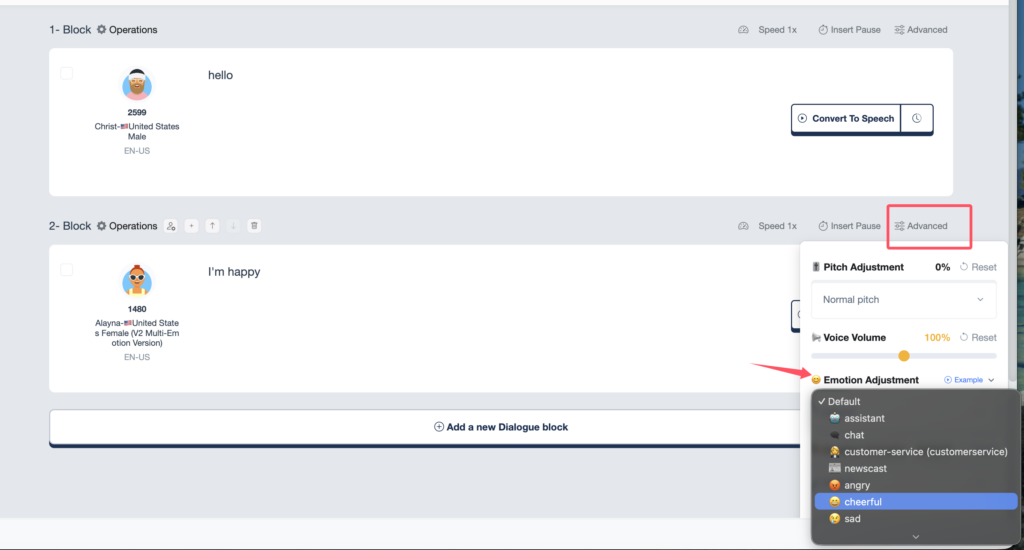
- Optional adjustments: speed, pitch, volume, emotion
These settings let you customize how each character sounds.
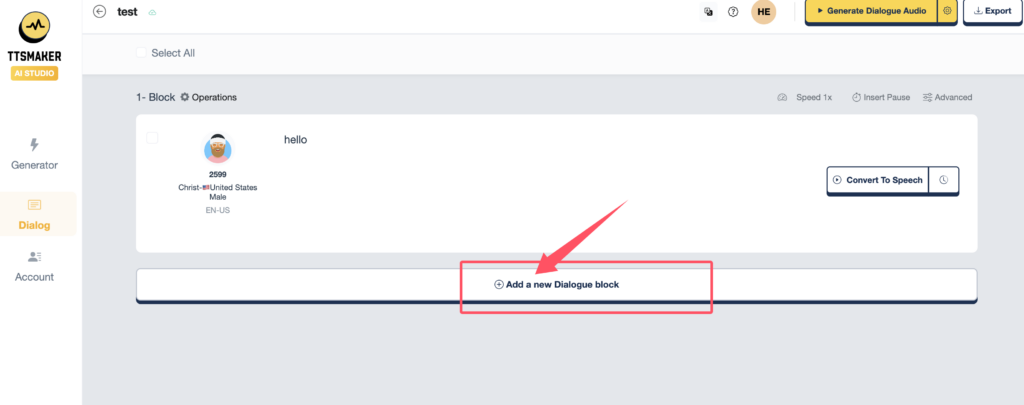
Step 4: Keep Adding Blocks to Build the Conversation
Add more blocks for every line of dialogue.
Each block can use its own unique voice, language, tone, or emotion — ideal for multi-person conversations.
You can also adjust the pause time between blocks to make the dialogue flow more naturally.
3. Generate & Download Your Audio
Once all text blocks are ready:
- Review your final settings (audio format, quality, pause time).
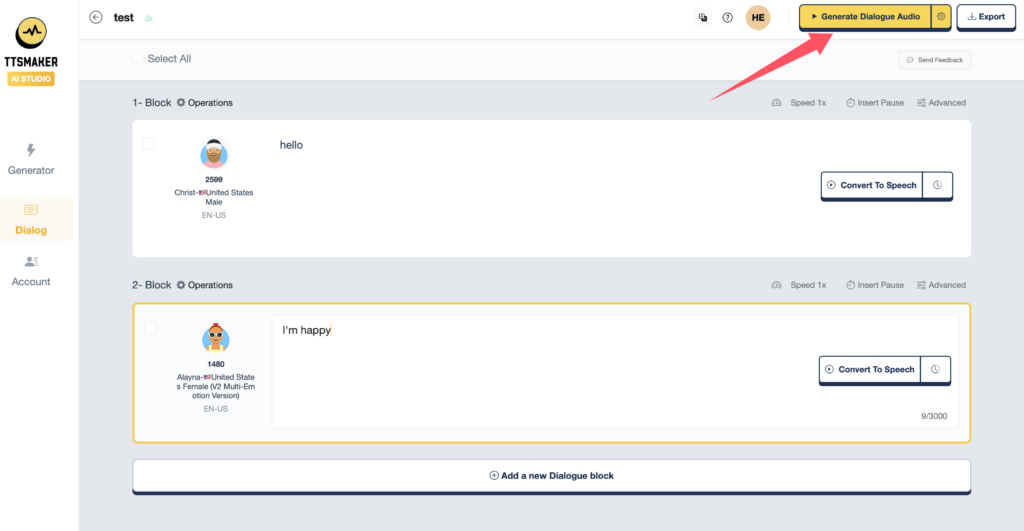
- Click the "Generate Dialogue Audio" button to generate the dialogue.
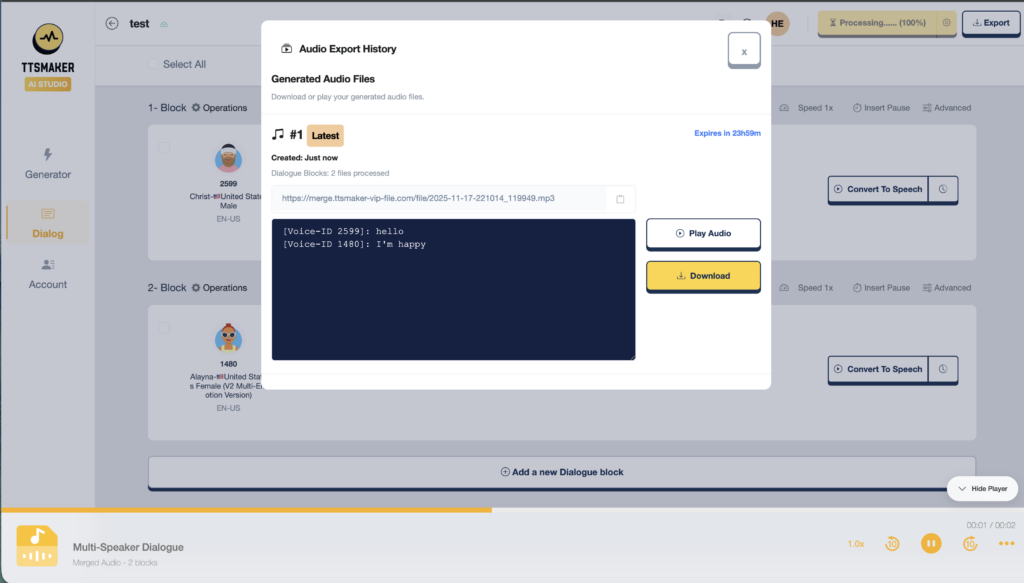
- Preview the audio on the page.
- Download it as MP3 or WAV.
Your multi-speaker voice dialogue is now ready to use!
4. Helpful Tips
- Adjust pauses between lines to improve timing
- Use the same voice for recurring characters to stay consistent
- Change speed or pitch to give characters different personalities
- Mix languages freely (great for bilingual dialogues)
- WAV = best for editing; MP3 = smaller file size for sharing
5. Popular Use Cases
- Language learning – create natural bilingual conversations
- Stories & audiobooks – give each character a unique voice
- Customer service training – simulate real scenario dialogues
- Games & animations – quickly generate character speech
- Podcasts & short videos – create multi-speaker segments easily
6. Tutorial Video
Try It Yourself
TTSMaker Free: https://ttsmaker.com/voice-dialogue-generator/
TTSMaker Pro: https://pro.ttsmaker.com/studio/multi-tts